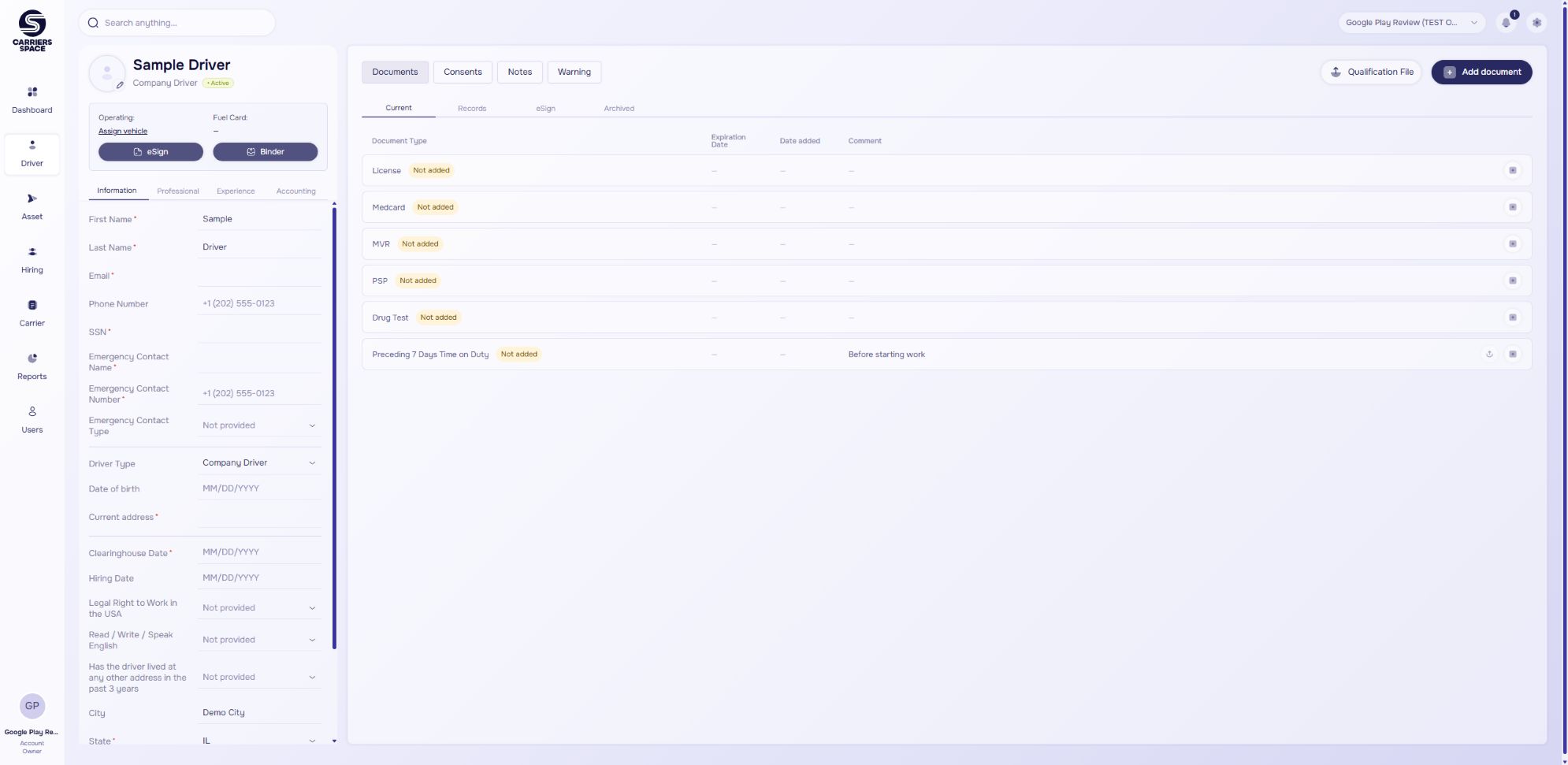
One workspace for your trucking businessDriver documents and signatures, in one place.
Send your own PDFs for signature, organize driver and vehicle records, and keep track of document renewals — built for small trucking fleets.
Free for up to 2 active drivers and 2 trucks.
Actual product screen · synthetic demonstration data
Everything has its spaceFrom the first application
to the next renewal.
Keep the people, paperwork and everyday work connected.
Document managementYour files.
Finally together.
Keep driver, vehicle and company documents in one workspace. Find the right record and build a Binder PDF when it’s time to share.
Explore document management Document workflow · illustrationDriver recordsOrganized
Vehicle documentsConnected
Binder PDFReady to share
eSignatureLess back-and-forth.
More signed documents.
Turn your own PDFs into signing requests. Place the fields, share a link and follow the status through to the completed copy.
See the signing workflow Signing workflow · illustrationUpload your PDF01
Place signing fields02
Share a signing link03
Keep the signed copy04
Hiring & driver recordsA smoother handoff
from applicant to driver.
Collect application information, follow hiring stages and keep the information connected to the driver profile after hiring.
Explore driver files Hiring workflow · illustrationApplicationCollected
Hiring stagesTracked
Driver profileConnected
Room for your fleetA clear price.
Without counting your fleet twice.
We count the larger of your active drivers or trucks. Inactive drivers don’t use a driver seat.
Start smallFree
$0 / month
- Up to 2 active drivers
- Up to 2 trucks
- A separate free plan, not a timed trial
Start FreeCheck your account for the features available on each plan.
A few things to know
Questions, answered.
Can I start without a paid subscription?
Yes. Free supports up to 2 active drivers and 2 trucks. Paid pricing scales with the larger of your active-driver count and counted-truck count. Review feature availability in your account before upgrading.
Can I upload my own PDFs for signing?
Yes. Add your PDF, place signing fields and share a request link. Recipients complete independent copies; this is not a sequential multi-party signing workflow.
Does the driver need a Carriers Space account to sign?
The driver opens the signing link, reviews the document and completes the required fields. After signing, a copy is sent to the driver’s email.
Can I download my documents?
Yes. You can download stored files and create Binder PDFs for individual or grouped documents. Access depends on the status of your company account.
Does Carriers Space perform background checks?
No. Carriers Space helps organize hiring information, documents and releases. It does not order background reports or replace checks performed by the carrier and its providers.
Are inspections updated in real time?
No. Inspection availability depends on the source provider. Records typically appear approximately three days after an inspection, with updates checked daily.
Does this guarantee regulatory compliance?
No. The platform helps organize records and workflows. Your company remains responsible for reviewing its documents and meeting applicable requirements.
Who can manage a subscription?
The company’s Account Owner and Accounting users manage Billing. Other staff use the company’s available features according to their assigned permissions.
Less paperwork.
More space to move forward.
Start with 2 active drivers and 2 trucks on Free.
Start Free